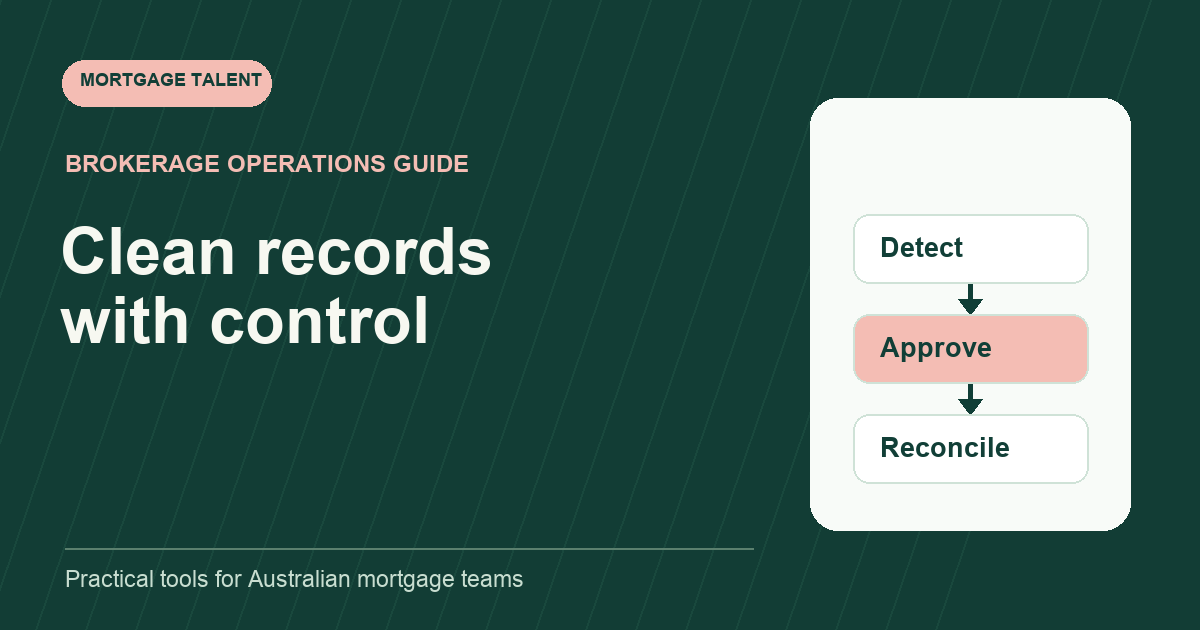
Run a mortgage CRM cleanup as a controlled data-quality project: define the fields and records in scope, identify exceptions, approve proposed changes, test a small batch and reconcile the results. Do not begin by merging every similar name or deleting every incomplete record. Similarity is a reason to review, not proof that two records represent the same thing.
This plan focuses on operational accuracy in a brokerage’s existing CRM. It does not set record-retention periods, authorise deletion or replace your organisation’s data-handling requirements. Those decisions stay with the responsible owner and your approved process.
Choose a narrow outcome for the first pass
“Clean the CRM” is too broad to estimate or accept. Choose a specific outcome such as assigning owners to active opportunities, correcting invalid stage labels, or reviewing suspected duplicate contact records. Keep historic archiving, marketing permissions and document retention outside the project unless they have been separately defined and authorised.
Write the population rule before selecting records. For example: active opportunities created before a chosen date with no assigned owner. Record the count and the date of the extract or report. A stable population lets you explain why a record was included and distinguish later arrivals from unfinished cleanup.
Prefer the CRM’s supported reporting and review features. If an approved export is needed, limit it to the fields required for the task and use the approved storage location. Do not distribute a complete customer database simply because the export button allows it.
Create a data dictionary before changing values
Scroll sideways to see all columns →
| Field | Valid meaning | Evidence for a change | Approval owner |
|---|---|---|---|
| Opportunity owner | Person responsible for the next action | Confirmed assignment | Operations manager |
| Pipeline stage | Current agreed workflow state | Latest recorded milestone | File owner |
| Next action date | Actual planned checkpoint | Current task or instruction | Task owner |
| Possible duplicate | Candidate for review only | Record identifiers and conflicting fields | Authorised CRM administrator |
Agree how to represent unknown values. Do not turn a blank into a guessed answer merely to improve a completeness percentage. A field marked “needs owner confirmation” is less tidy than a confident guess, but it makes the remaining work visible.
Separate detection from correction
Use one queue to identify exceptions and another to record approved changes. The detection queue should include the record identifier, rule that triggered review, current value and evidence needed. The correction queue adds the proposed value, approver and decision date.
For duplicates, compare relationships as well as names. Two contacts may share an email address, and one person may legitimately be associated with several opportunities. Review linked tasks, notes and documents before considering a supported merge. Never treat a spreadsheet match as permission to alter the CRM.
Microsoft’s duplicate-handling guidance distinguishes highlighting duplicates for review from removing them, and warns that Remove Duplicates permanently deletes the duplicate data in the selected range. That distinction is useful when reviewing an approved worksheet: mark candidates first. It does not establish how your CRM’s own merge or recovery features behave.
Rehearse the change and its recovery
Ask the CRM administrator how a change can be reversed and which relationships may be affected. Use a supported test environment or a small approved batch where available. Capture the original values and expected results through your approved process before making changes.
A batch should be small enough to inspect completely. Check not only the edited field but also the views, assignments and reports that consume it. A stage correction may alter a pipeline report; an owner change may affect a task queue. Acceptance includes those downstream effects, not merely a successful save message.
Stop if the actual behaviour differs from the approved plan. Do not continue a large batch on the assumption that the administrator can repair it later. Record the discrepancy, preserve the remaining queue and obtain a revised instruction.
Work through a fictional owner-cleanup batch
Suppose a report finds forty active opportunities without owners. The operations manager confirms owners for twenty-eight, asks for further investigation on eight, and identifies four that need a separate status review. The cleanup team changes only the twenty-eight confirmed assignments.
After the batch, it reconciles the same population: twenty-eight corrected, eight awaiting evidence and four routed for status review. The original forty records are all accounted for. It does not report a hundred per cent resolution because every row has been touched.
The administrator checks a sample of affected owner views and the complete batch’s assignment report. If one assignment did not persist, the team reopens that item. The remaining twelve are visible work, not failures to hide by filling them with a placeholder person.
Use an acceptance checklist that catches silent damage
- The original population count reconciles to completed and unresolved records.
- Every change has a record identifier, old value, new value and approval reference.
- No out-of-scope record or field was changed.
- Linked tasks and relationships remain attached as expected.
- Relevant views and reports reflect the intended values.
- Any failed or disputed item has a named next owner.
Keep review independent of the urge to finish the project quickly. For higher-impact changes, the person checking the result should be able to compare it against the approved instruction rather than relying on the operator’s memory.
Prevent the same exception queue returning
Trace repeated issues to their entry point. Missing owners may come from an intake route; inconsistent stages may come from unclear definitions; duplicates may come from an import process. Improve that entry process and check a later cohort. A one-time cleanup without an input change can become a recurring administrative expense.
Use the SOP template to document the new entry rule and the responsibility matrix to assign ongoing ownership. If you need support with a bounded administrative cleanup, discuss the project scope with Mortgage Talent, including the review and access boundaries your administrator has approved.
Take the next step
Explore Mortgage Talent or speak with our team about your hiring needs.